
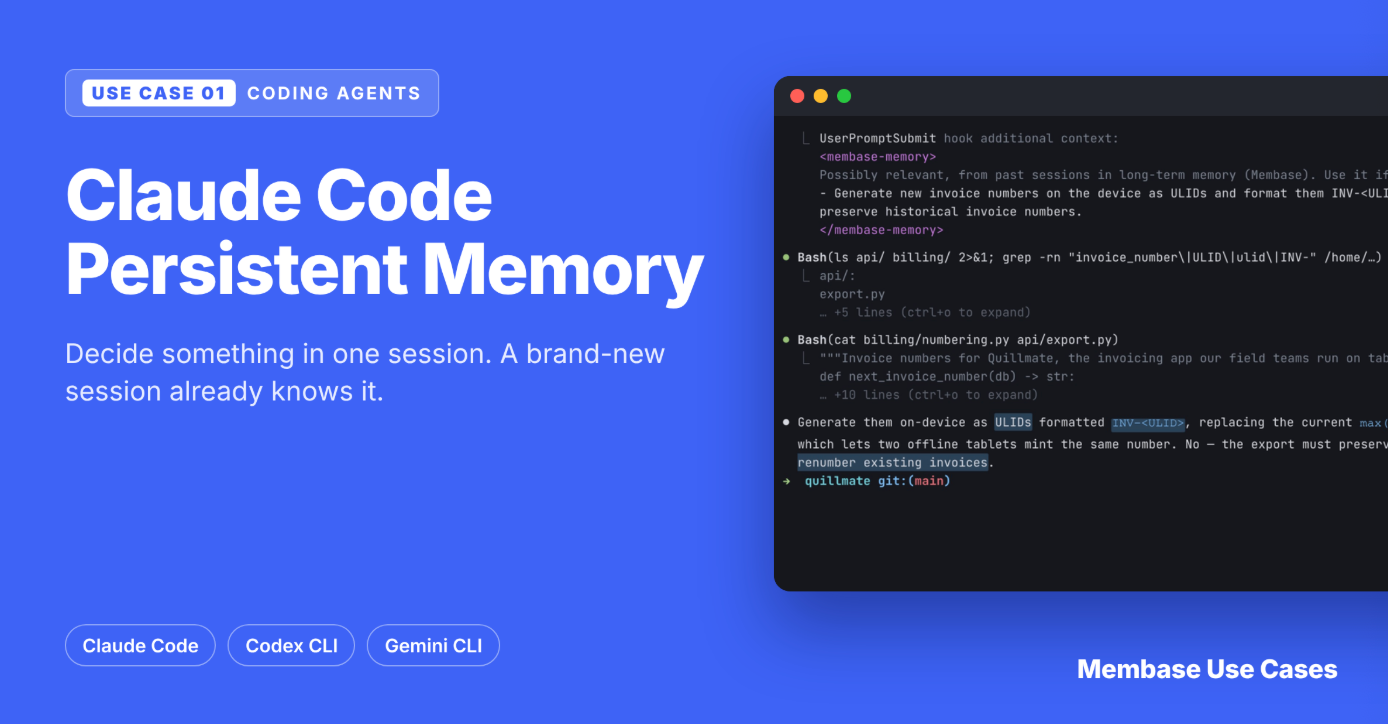
Membase Use Case 01 · Coding Agents: Claude Code Persistent Memory
Your coding agent forgets every decision when the session ends. Here’s how to give it automatic, long-term memory with three hooks and one install command.
Part of Membase Use Cases: 17 runnable demos of what long-term memory makes possible. See all use cases →
Quick answer
To give Claude Code persistent memory across sessions with Membase:
- Get a developer key (mbk_…) in the Membase app under Connect › Developer keys.
- Create a Memory named after your repo, or one named Coding.
- Run python3 01-coding-memory/install.py claude --key mbk_…
- Work as usual. Recall happens at session start and on every prompt; the session is saved when it ends.
- Test it: decide something, quit, open a new session, and ask about it without mentioning it.
The same steps work for Codex CLI and Gemini CLI: swap claude for codex or gemini.
In this guide: Why Claude Code forgets · The demo · Setup · How it works · Common mistakes · FAQ
Why Claude Code forgets between sessions
You spend twenty minutes with Claude Code deciding how invoice numbers should work. You settle it: new numbers are ULIDs made on the device (INV-<ULID>), and old numbers never change. Then you close the terminal.
The next day you open a fresh session and ask about invoice numbering. The agent reads billing/numbering.py, sees max + 1, and suggests you keep incrementing.
The decision never reached the code, so a new session has no way to know it happened. Each session starts from the files on disk and whatever you put in its context.
The usual workarounds each cover part of the problem:
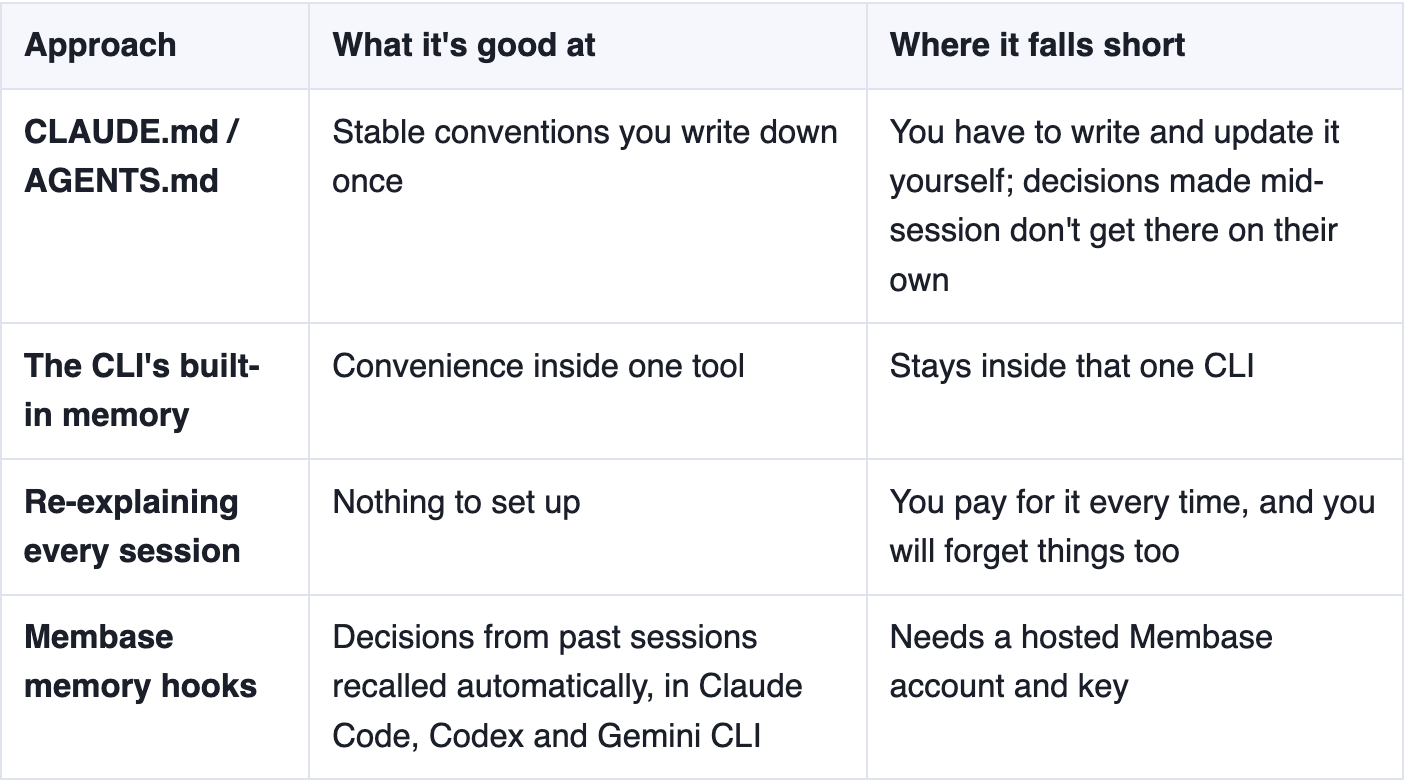
Static files and automatic memory work well together: keep stable conventions in CLAUDE.md, and let memory catch the decisions you make while working.
See it work: a decision that survives a new session
01-coding-memory connects your coding CLI to Membase so it remembers on its own:
- Session start: the agent is told what you decided about this project before.
- Every prompt: your message is checked against memory, and anything relevant is added to the context.
- Session end: the session is saved.
You don’t run any commands, and the model doesn’t have to decide to use memory.
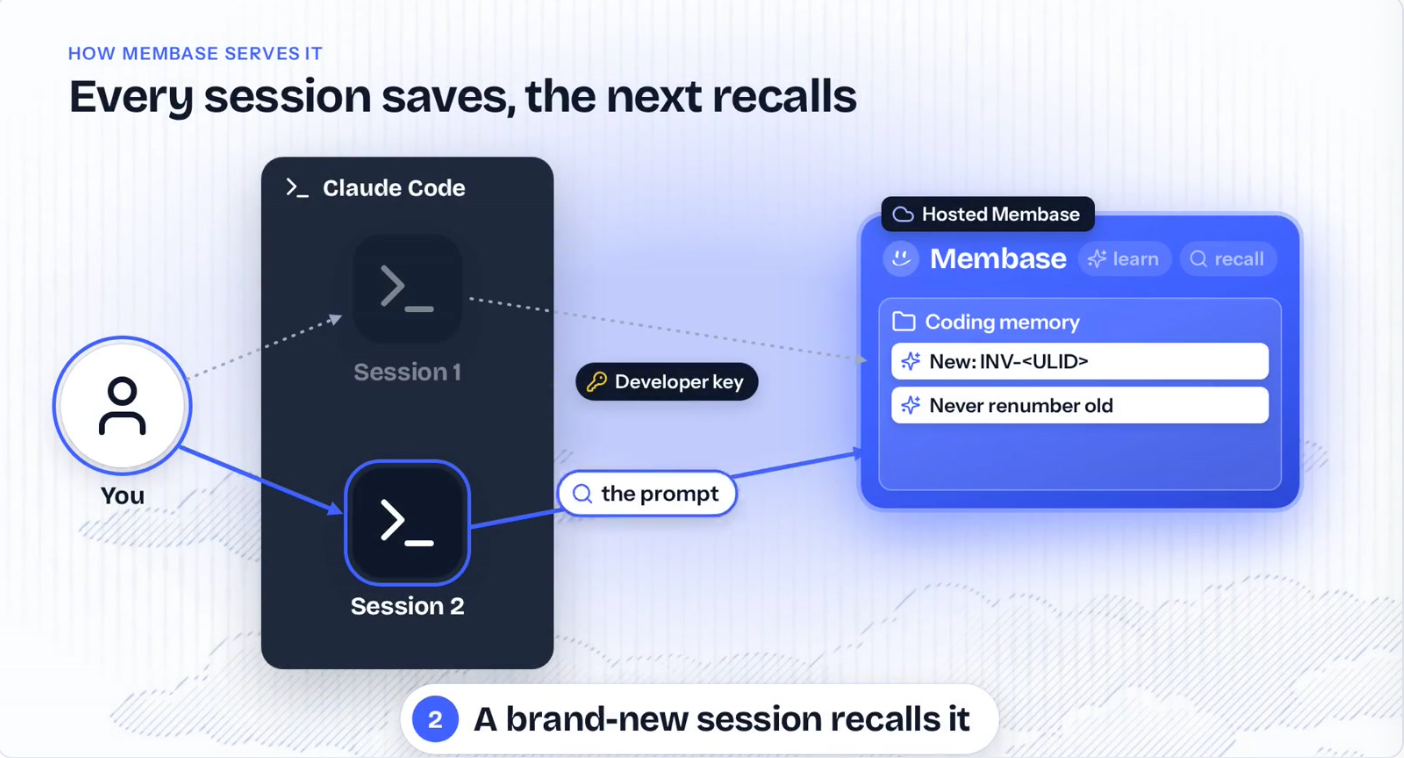
Every session saves to Membase; the next session recalls from it.
Here’s what happens in the video, a real Claude Code run against hosted Membase.
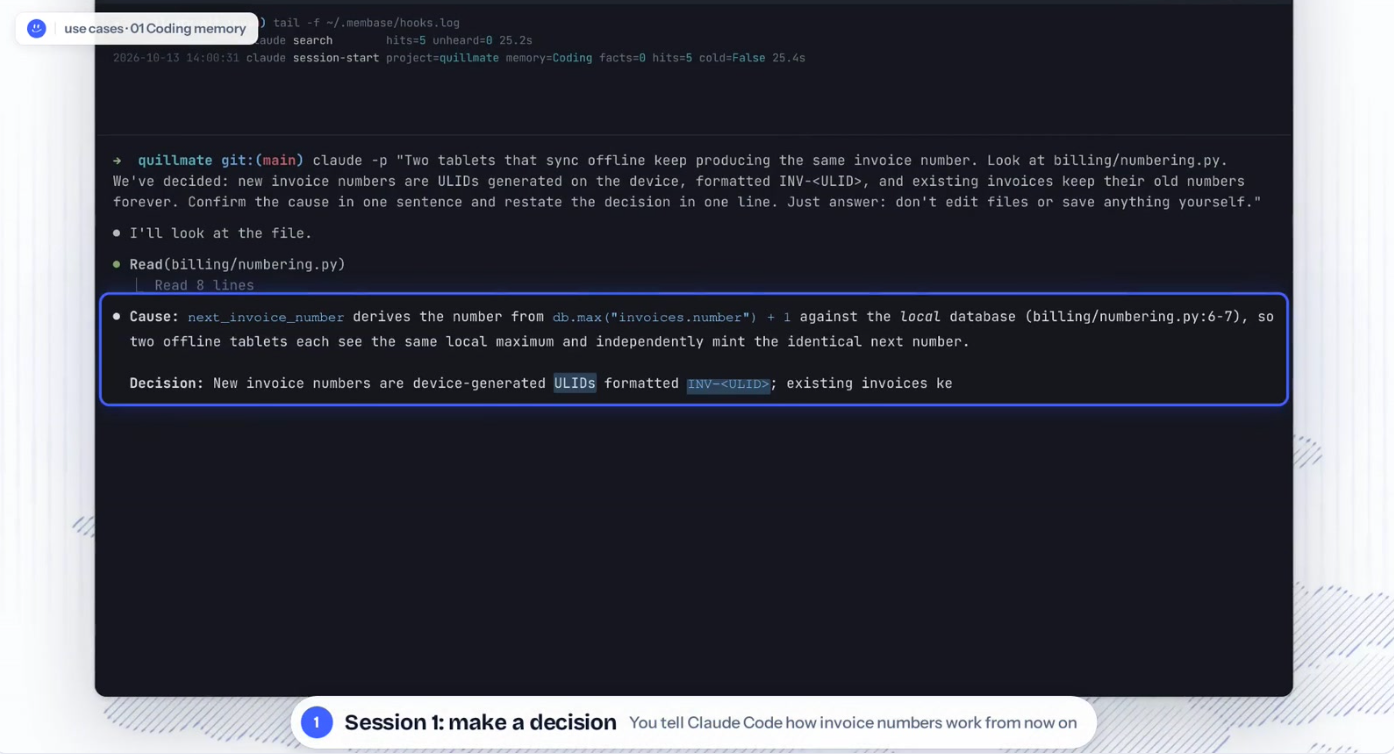
- Session 1: you make a decision. claude -p reads billing/numbering.py. You decide new invoice numbers are INV-<ULID> and old numbers never change.
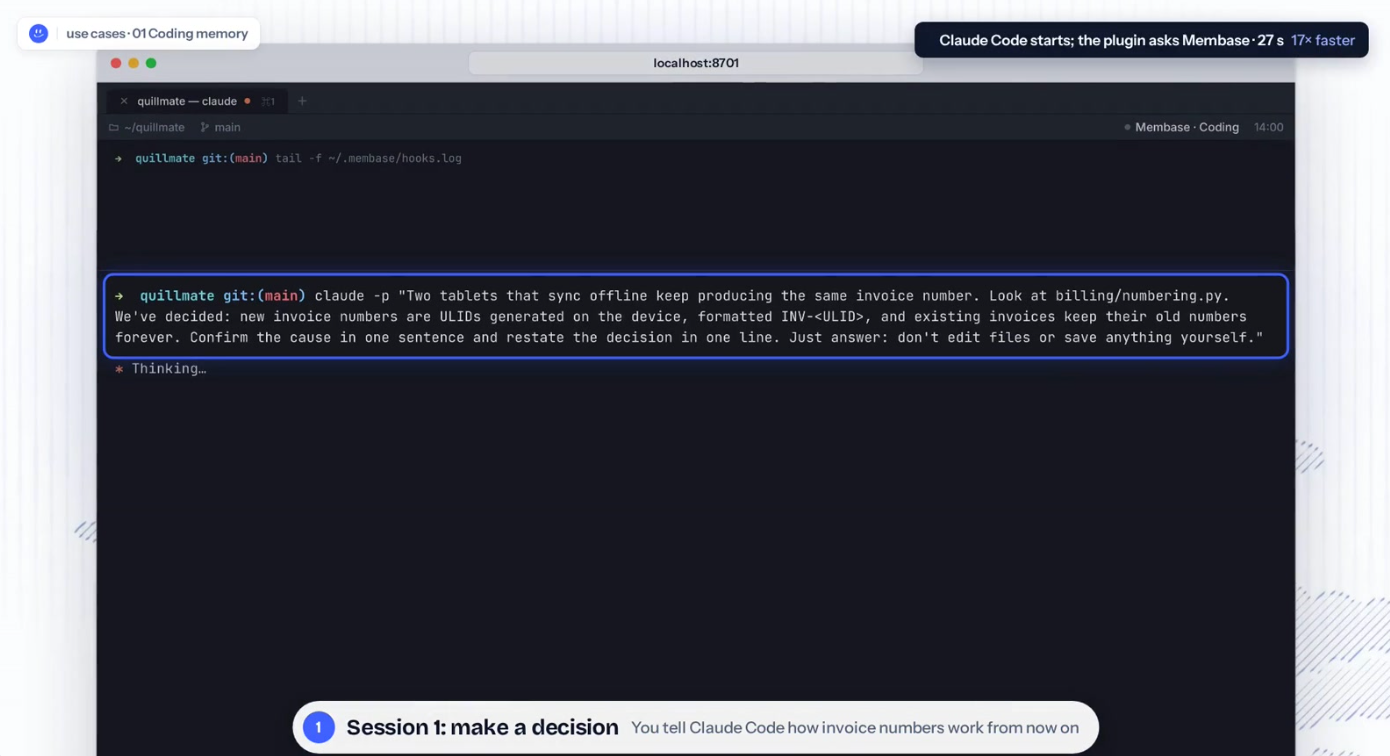
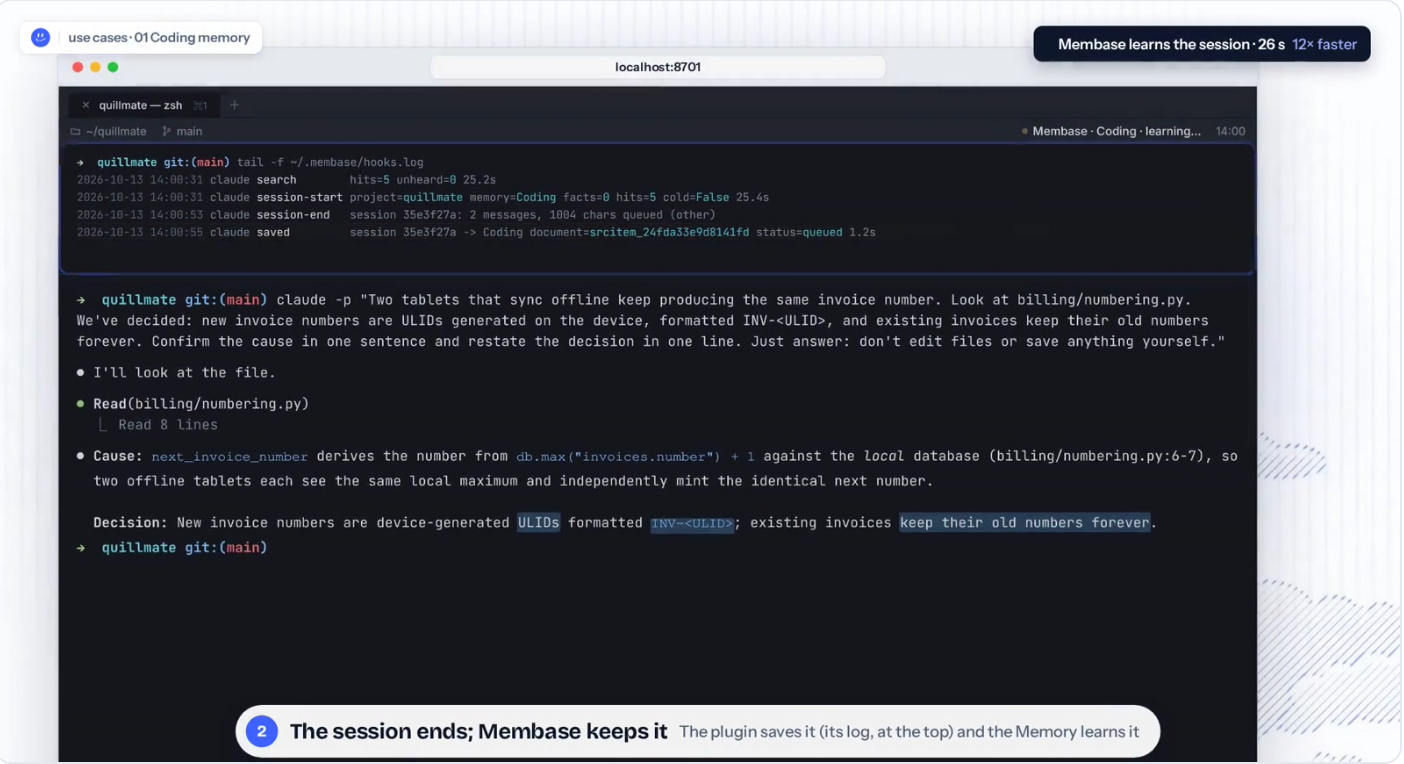
2. The session ends, and Membase keeps it. The plugin’s log (top pane) shows it saving the session to a Memory called Coding. Membase learns it in about 26 seconds.
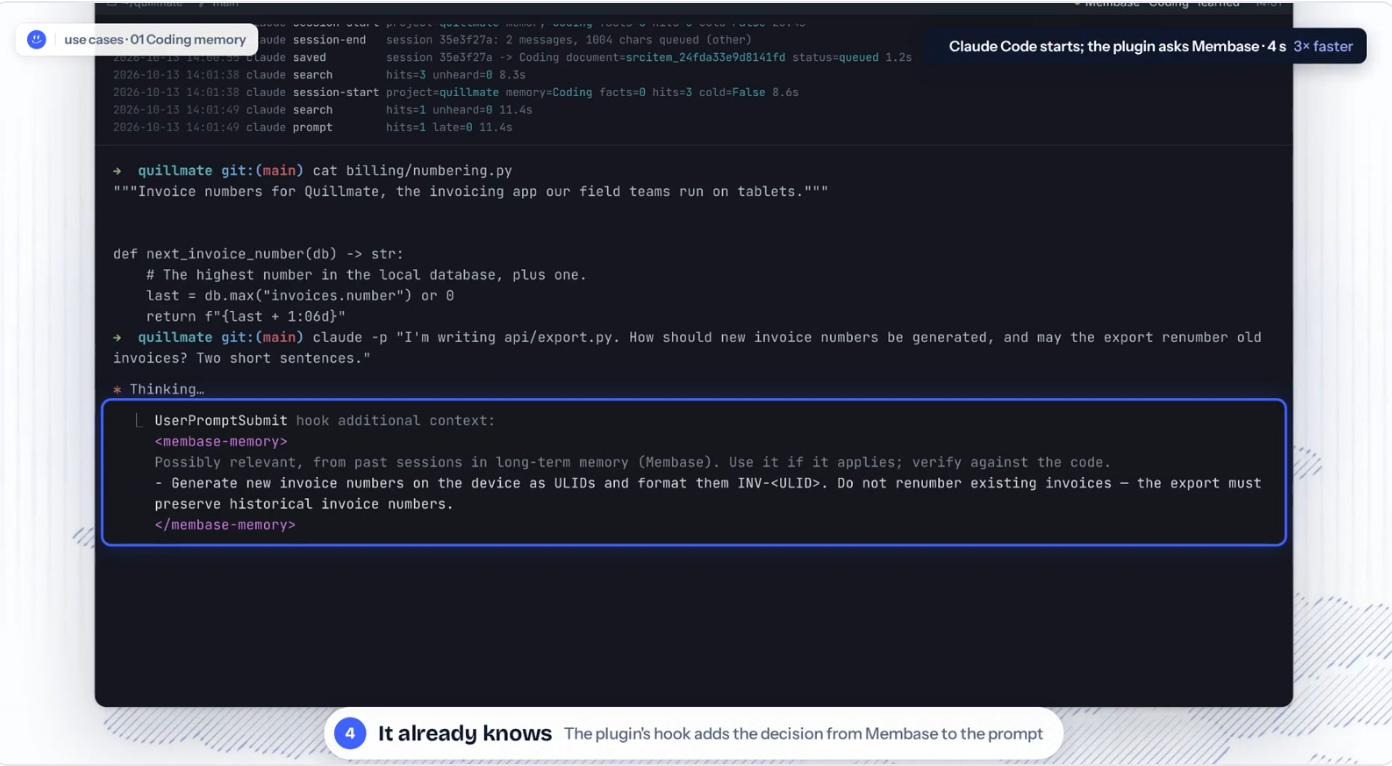
3. Session 2: a brand-new process. clear, then a new claude process. cat billing/numbering.py shows the code still says max + 1. Nothing has carried over.
4. It already knows. The UserPromptSubmit hook adds the decision from Membase to the prompt.
How we kept the test fair
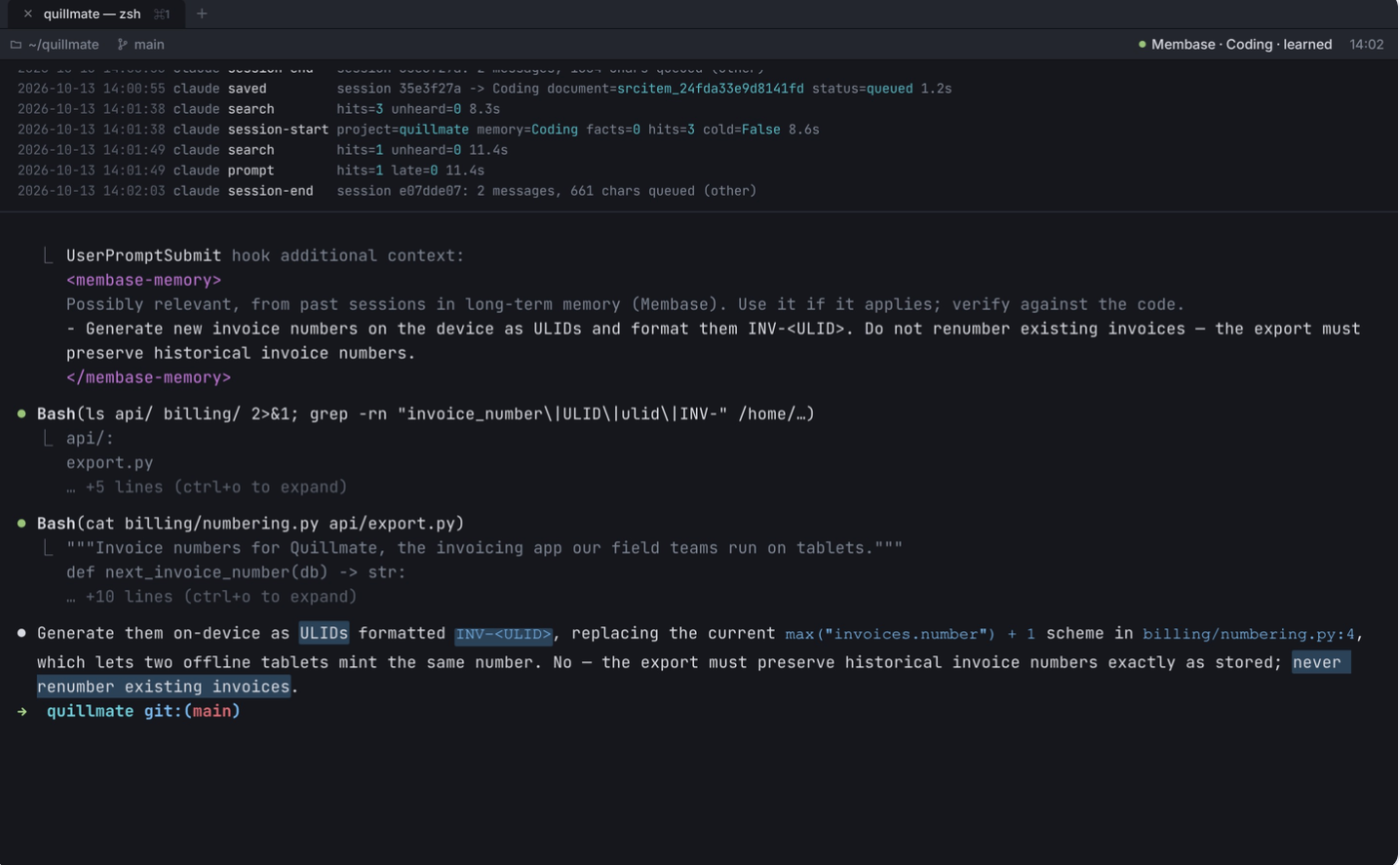
Claude Code’s own auto-memory was switched off and checked empty before the run. The code on disk still said max + 1. So the only place the second session could have learned the decision was Membase. Its answer: use INV-<ULID>, and never renumber existing invoices.
Step 1: Get a developer key and create a Memory
In the Membase app, open Connect › Developer keys and create a key.

Then create a Memory for the project. The hooks pick one in this order:
- MEMBASE_CONTAINER (a name or id), if you set it
- A Memory named like your project’s git folder (case doesn’t matter)
- A Memory named Coding
- The only Memory your key can reach
Tip: to give each repository its own memory, create a Memory with the repository’s name.
Step 2: Install the hooks
python3 01-coding-memory/install.py claude --key mbk_…   # Claude Code
python3 01-coding-memory/install.py codex  --key mbk_…   # Codex CLI
python3 01-coding-memory/install.py gemini --key mbk_…   # Gemini CLI
The installer uses only the Python standard library (3.9 or newer). What it does:
- Writes your key to one shared file, ~/.membase/config.env (mode 600). The key never goes into the CLI's own config.
- Backs up any config it changes as <file>.membase-backup.
- Can be undone with --uninstall.
The hooks need the Membase Python SDK. If uv is installed, the first hook builds a cached environment in a few seconds and later hooks start immediately. Without uv, run pip install unibaseio-membase.
Prefer to install by hand? For Claude Code:
claude plugin marketplace add ./01-coding-memory
claude plugin install membase-memory@membase-demos
To try it for one session only: claude --plugin-dir ./01-coding-memory/claude-plugin
Step 3: Let the agent call memory itself (optional)
The hooks give you automatic recall and saving. To also let the agent search, add or forget memories when you ask, export your key so the MCP server can use it:
export MEMBASE_API_KEY=mbk_… # add to your shell profile
Claude Code reads it in the plugin's .mcp.json. For Codex:
codex mcp add membase --url https://api.app.membase.ai/mcp-http \
  --bearer-token-env-var MEMBASE_API_KEY
Step 4: Verify that memory is working
Run the end-to-end check:
uv run 01-coding-memory/smoke.py
Then do the real test in your own project:
- Decide something specific: a naming rule, or why you chose a library.
- Quit the session.
- Start a new session in the same repository.
- Ask about it without mentioning it.
To watch what the hooks are doing, run tail -f ~/.membase/hooks.log in a second terminal.
How the hooks work
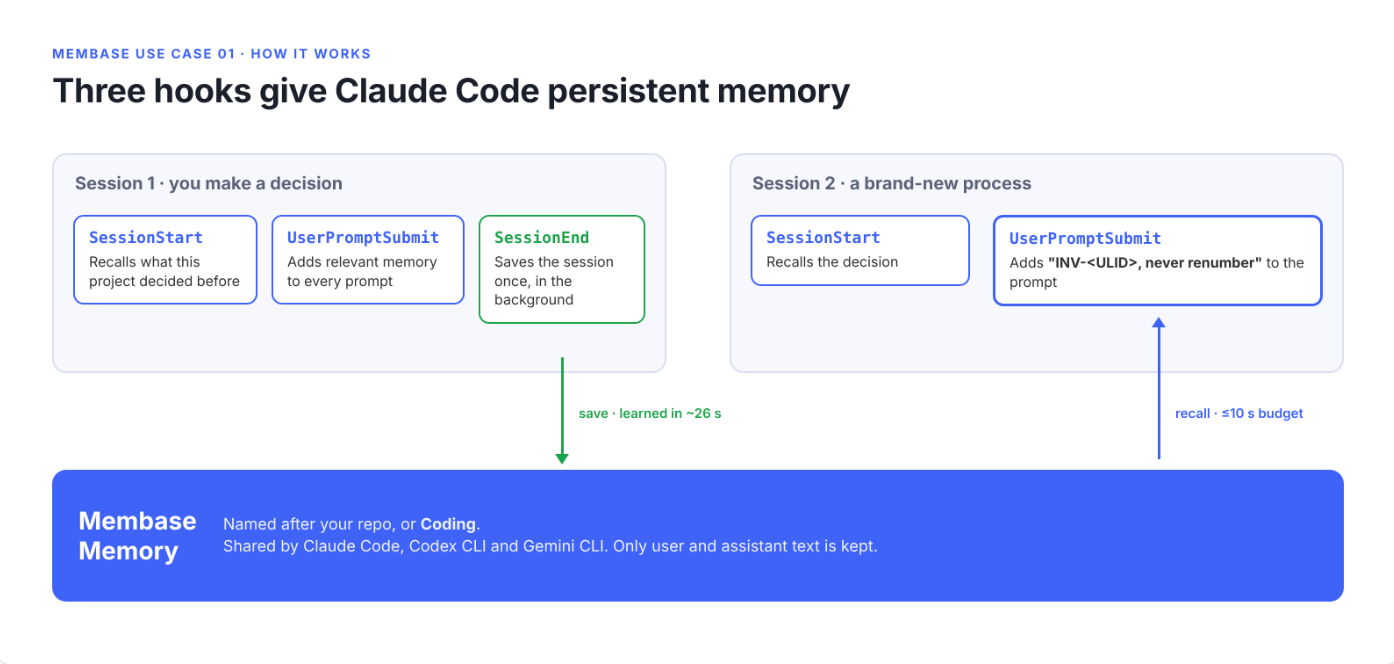
SessionEnd saves; SessionStart and UserPromptSubmit recall.
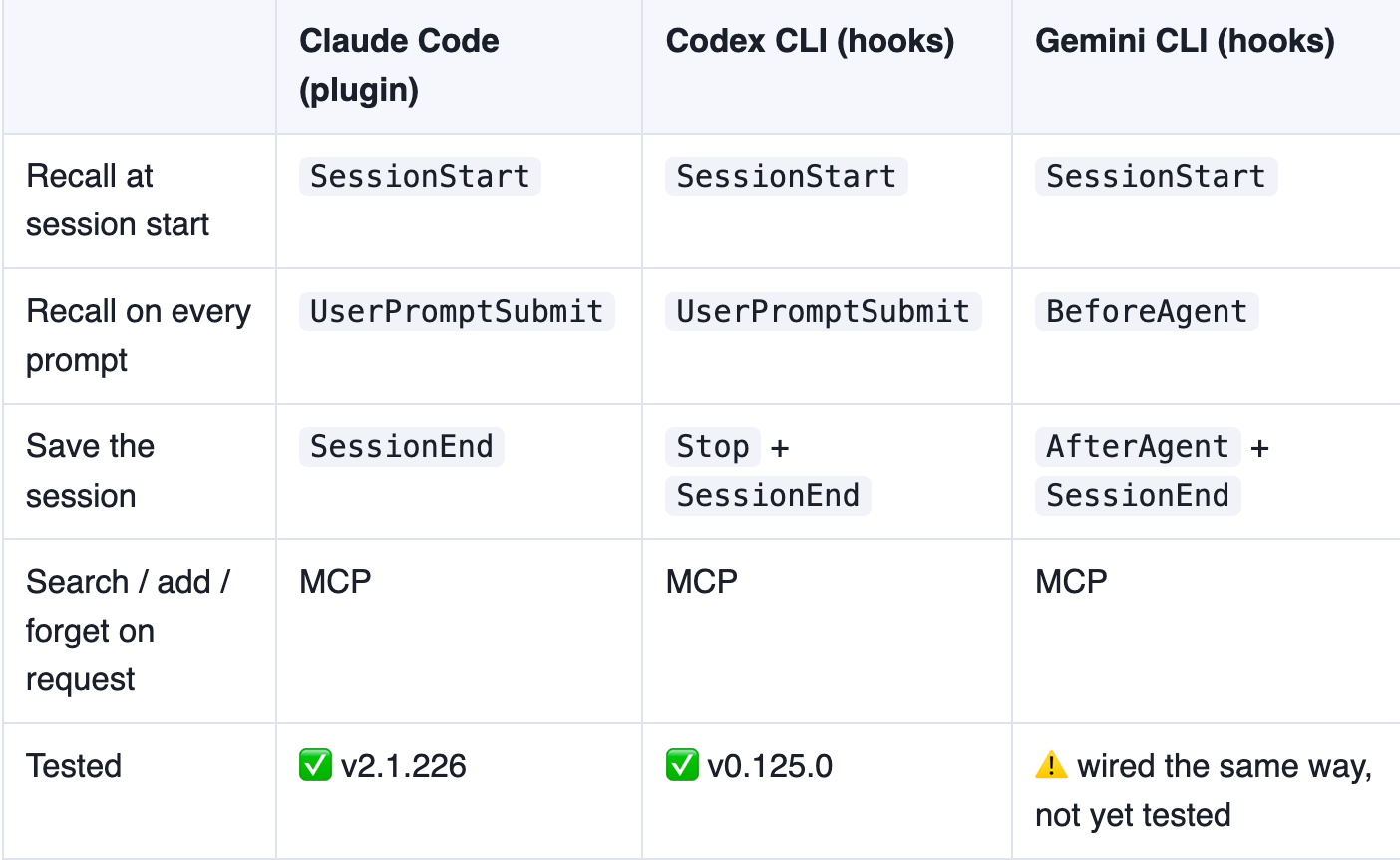
A few design choices make it safe to leave on all day:
- It never blocks you. Any failure is written to ~/.membase/hooks.log, and the hook exits quietly.
- Recall has a time budget. Each prompt waits up to 10 seconds for memory (MEMBASE_RECALL_BUDGET). If the search takes longer, it keeps running, and its results arrive with your next prompt, marked as late. Nothing is lost and the search is never repeated.
- One save per session. The session is saved once, when it ends. Only user and assistant text is kept: tool calls, tool output, thinking, slash commands and system reminders are dropped. Each message is capped at 1,500 characters and the session at 12,000.
- Saving runs in the background. CLIs give end-of-session hooks very little time (Claude Code about 1.5 seconds), so the hook hands the save to a separate process. If it fails, it’s retried at the next session start.
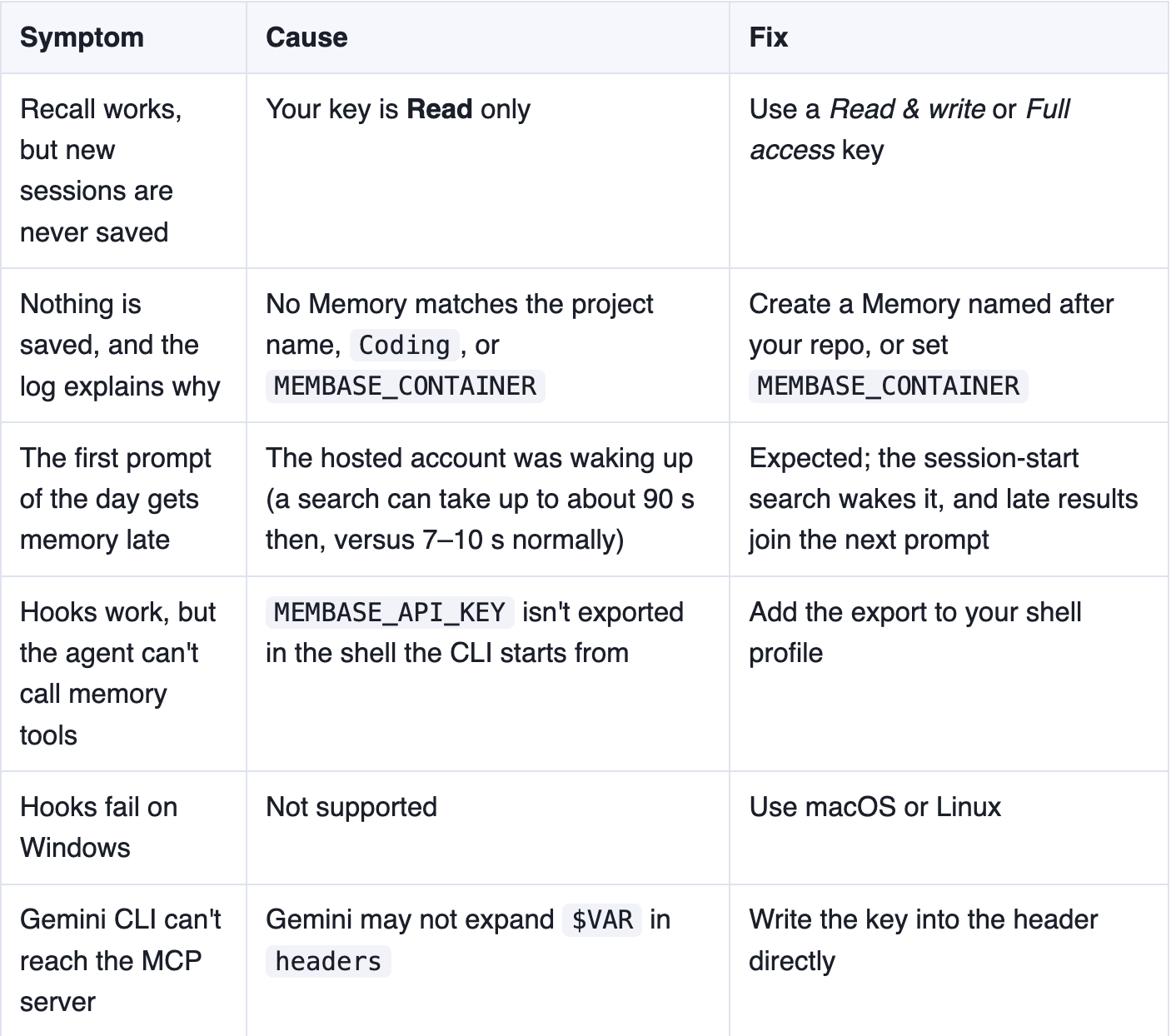
Common mistakes
More in this series
→ Browse all 17 Membase Use Cases
Try it now
- Star the repo: 17 runnable demos of what long-term memory makes possible.
- Get a Membase developer key and run the installer.
- Decide something, quit, and see if your next session remembers.